 Four-Faith IoT

F‑IYL300 Integrated Tipping Bucket Rain Gauge User Guide: Bluetooth Configuration and Local Alarm Guide
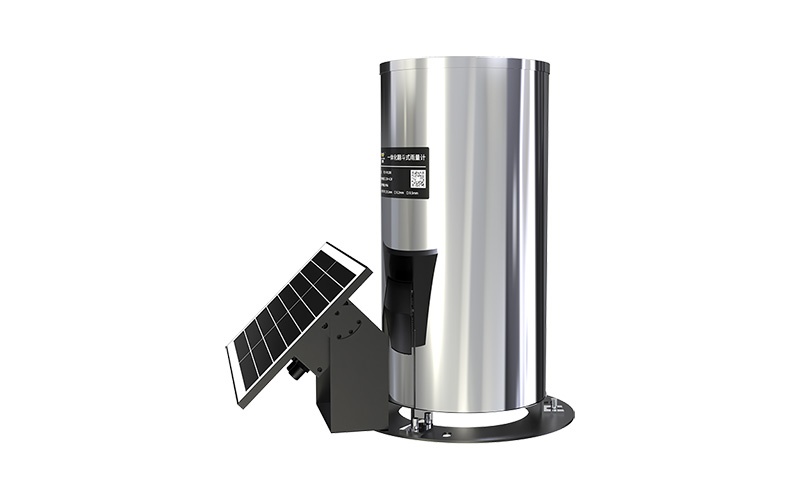
This tutorial is compiled based on the *F-IYL300 Integrated Tipping Bucket Rain Gauge User Manual V1.0.0* from Four-Faith. It introduces the product functions, installation environment and Bluetooth configuration methods to help you quickly set up a rainfall monitoring station.
Product Overview: Tipping Bucket Rainfall + IoT
The F-IYL300 is a monitoring and early-warning product that combines a tipping bucket rain sensor with IoT communication. It automatically monitors rainfall 24 hours a day and reports rainfall and device status in real time. With local self-organizing alarm capability, it can be paired with an indoor alarm device to achieve one-site monitoring with multi-point alarming, making it suitable for rainfall collection in hydrology, flash flood, reservoir and dam applications.
Industrial-Grade Features and Low Power Consumption
The device uses a 32-bit communication processor and Bluetooth V5.0, and supports 4G/CAT1 (with optional GPS/LoRa). It is powered by an integrated solar panel plus a 3.7 V/13.2 Ah lithium battery, with a static current of < 10 mA and an operating current of < 40 mA. It also supports remote monitoring through the Four-Faith Assistant app.
Before Installation: Site Selection and Environment
✅ Choose an open, unobstructed area within a 4 m × 4 m radius, with the orifice positioned at least 0.5 m above the surroundings;
✅ Secure the base on a sturdy, level rooftop surface within 1 m of the roof edge, level the base, and keep the rain intake filter screen horizontal to prevent clogging;
✅️ Keep the device away from children and high-power electrical appliances, and avoid explosive environments such as gas stations and any open flames.
Device Commissioning: SIM Card / Power-On / Leveling
✅️ Rotate the bracket to open the SIM card slot, insert a Micro SIM card, then press the power button to power on;
✅️ Connect to the device via Bluetooth using the Four-Faith Assistant app to configure parameters; after each adjustment, swipe down to the bottom of the interface and tap "Save Settings";
✅️ Use the 3 height-adjusting support nuts to fine-tune the base until the bubble level is centered, then secure it with the 3 locking nuts.
Rainfall Reporting and Local Alarming
The device supports two working modes: report and compatible. Report mode goes online on the hour with low power consumption, while compatible mode stays always online and supports on-demand interrogation. When there is no rainfall, it reports rainfall and status on the hour; during rainfall, it reports on a scheduled basis or when the alarm thresholds are triggered. Built-in thresholds cover 5 durations (1/3/6/12/24 h) and 3 levels (yellow/orange/red), broadcasting "Be Safe" / "Prepare to Evacuate" / "Evacuate Immediately." Before the flood season, clean the rain intake and the tipping bucket to prevent debris from affecting measurement accuracy.